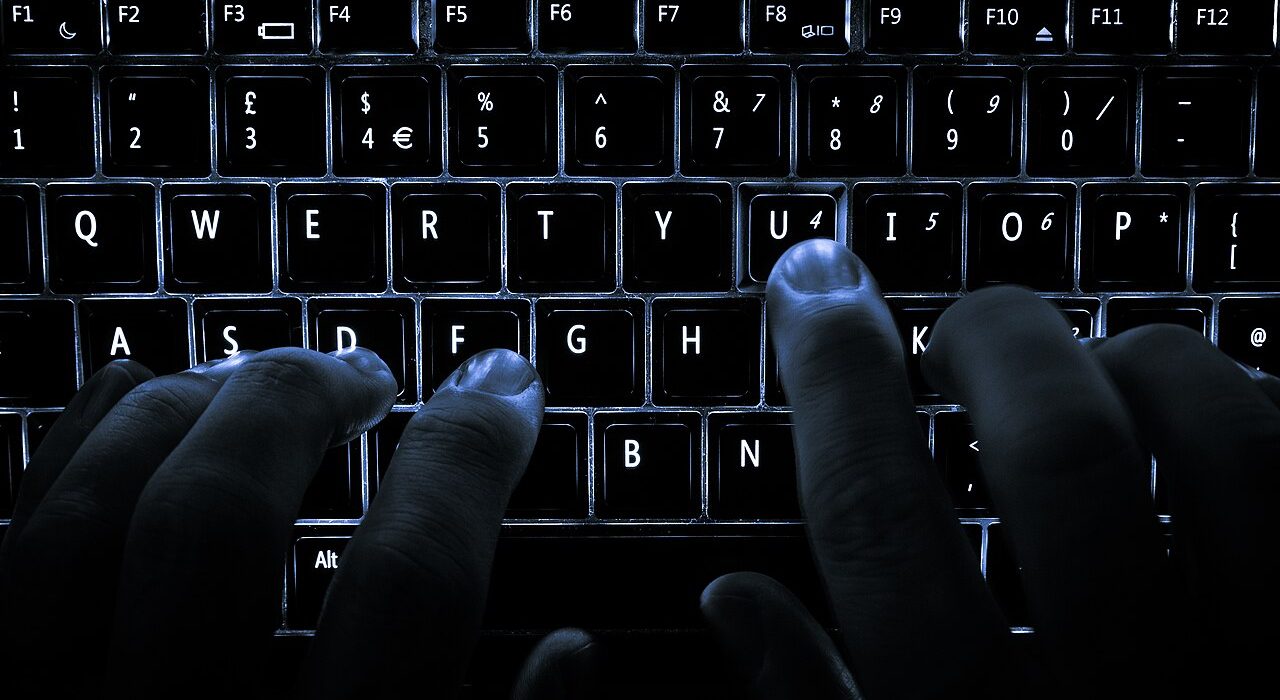

Run a fingertip over the F and J keys on almost any keyboard and the tiny raised bumps are impossible to miss. They are not manufacturing flaws, and they are not there for decoration. They are a touch-based guide that lets typists get their fingers back into position with no peeking.
It is one of the quietest bits of design in the house, shared by desktops, laptops and the clunky keyboard in the home office. Here is what the bumps do, where the idea came from, and whether anyone really needs them.
What the Bumps on F and J Actually Do

According to Mental Floss, keyboard makers add a small raised mark to the F and J keys so touch typists can find the home position by feel. The index fingers rest on those two keys, and the other fingers settle into place from there. A trained typist never needs to glance down.
The same idea shows up in other everyday objects. A piece on the small loop on a safety pin makes the case that overlooked details usually have a job, and a roundup of easy-to-use products that simplify everyday life at home is full of similar small touches.
Computer Hope notes that these bumps go by several names, including homing bars, and that some people call F and J the “guide keys.” On keyboards with a numeric keypad, the 5 key carries a bump too, which lets a hand find the middle of the keypad without a peek.
How the Home Row Works
The home row is the middle row of letter keys. On a standard QWERTY layout the left hand rests on A, S, D and F, and the right hand rests on J, K, L and the semicolon key, while the thumbs hover over the spacebar, per Wikipedia’s entry on touch typing. After reaching for any other key, typists return to those eight.
That return trip is where the bumps matter. Without them, a typist who looks away from the keyboard to read a document would have to look back to find the starting position. With them, a fingertip confirms it in an instant.
The method has a famous origin. The same Wikipedia entry credits Frank Edward McGurrin, a court stenographer from Salt Lake City, with popularizing home-row touch typing after he won a typing contest in Cincinnati on July 25, 1888. Historians dispute whether he was the first to touch type or just the first to get widespread attention for it.
Keyboards sit in a long line of household objects people stop noticing. The nostalgia is easy to find in features about what every 1980s living room had and household items only 1980s children remember, along with things that decorated every 70s home. Gadgets come and go, as a look at forgotten household items from the past or little rituals from the 80s and 90s shows, and even the strengths linked to a messy desk belong to the same everyday world as the keyboard.
A 2002 Patent and Other Ideas
The bump is a simple fix, but inventors have tried to improve on it. Google Patents lists a patent for “Modified keys on a keyboard” by June E. Botich, filed on April 23, 2002 and granted on Dec. 23, 2003. Instead of a single bump, it adds raised edges to the outer keys of each home-row group, creating a cradle for the four fingers of each hand. The patent says that helps typists feel where the fingers belong, which it argues improves speed and accuracy.
The filing also acknowledges earlier tactile guides. It names adhesive labels with a raised center bump, sold as Quickeys home-row indicators, as the closest known predecessor. Mental Floss adds that the plastic-attachment concept never caught on with the general public.
Anyone who wants more tactile guidance has options. Mental Floss mentions clear stickers called Loc-Dots that carry raised bumps and can go on whichever keys a typist chooses.
Do Typists Even Need Them?
There is a wrinkle. Looking at the keyboard is still a reasonable choice, and researchers have found that formal training is not the only route to speed. In a 2016 study from Aalto University in Finland, 30 participants with a wide range of age and skill were observed typing. People who had taken a typing course had similar average speed and accuracy to self-taught typists, according to the university’s announcement. The self-taught group used about six fingers on average, which surprised the researchers.
That does not make the bumps obsolete. For anyone who types by feel, whether with 10 fingers or six, a quick tactile check saves time and prevents the drift that leads to a line of gibberish. Wikipedia puts average typing speeds at about 30 to 40 words per minute, with 60 to 80 needed to keep pace with thoughts, which is where a reliable home position pays off.
The bumps are also a small example of design doing its job quietly. Most people use them thousands of times without noticing, and the only time anyone thinks about them is when a worn-down key stops giving feedback. For now, the two tiny dots on F and J remain a typing aid that works best when no one notices it.
Get stories like this by email. Sign up for Crafting Your Home.
This article was produced with AI assistance and edited for accuracy against the sources linked above.
Image: Colin – CC BY-SA 4.0/Wikimedia Commons