


This article was originally published on Crafting Your Home. A human contributor also wrote and edited the post.
It’s no secret that our phones have become little treasure troves of information. They know where we go for coffee, which gym we visit, and sometimes even where we live. But which apps could be giving away our location?
It’s a concern many families face today—and understandably so. Apps are designed to be fun, convenient, or helpful for staying connected, but they can sometimes compromise our privacy without us realizing it.
This isn’t about spreading panic. It’s about raising much-needed awareness. If you have children, a partner, or even a pet you want to protect, knowing which apps could potentially expose your family’s location is incredibly valuable. Below are 14 seemingly harmless types of apps that may broadcast your location without your knowledge.
Weather Apps
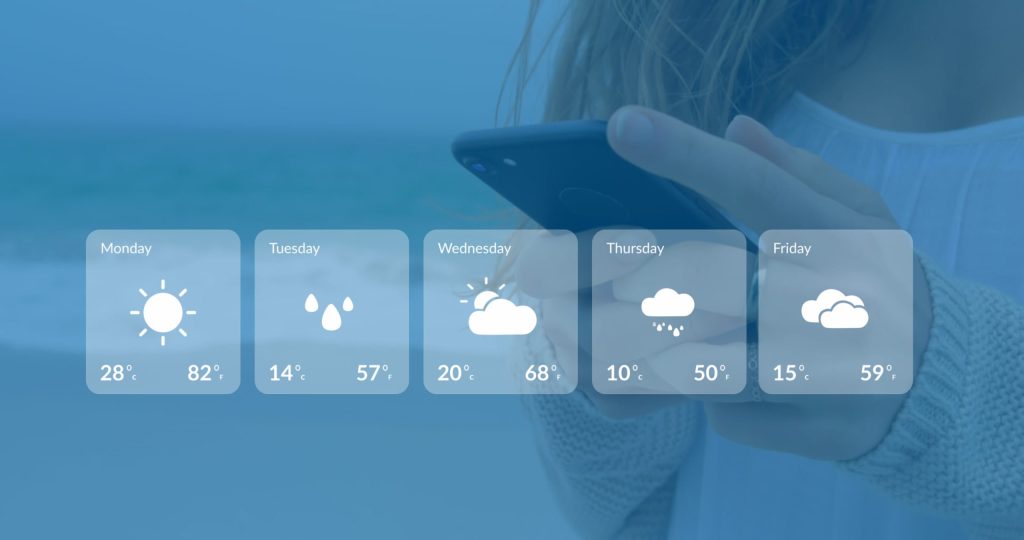
Do you always check the weather before leaving home? It seems harmless enough. However, some weather apps collect highly accurate GPS data to provide local forecasts.
While that information can be useful, it may also reveal your location to third-party advertisers or data brokers. Consider allowing location access only while you are actively using the app.
Social Media Platforms
Social media can serve as a digital diary of our lives, but it is also a double-edged sword. When you publish a post or story on platforms such as Instagram or Snapchat, the app may attach your location.
If your account is public, you could be sharing your whereabouts with complete strangers. A word to the wise: Review your privacy settings and disable location sharing unless it is absolutely necessary.
Ride-Hailing Apps

Those apps that send a car to take you to the airport or out for the evening rely heavily on your location. They continuously track your position to connect you with nearby drivers.
Some ride-hailing apps have also faced criticism for tracking users after their rides have ended. Review the app’s permissions and limit location access to “while using the app” whenever possible.
Fitness Tracking Apps

Staying active is great, and many fitness apps allow users to share detailed maps of their runs, walks, or bike rides. Unfortunately, those maps may unintentionally reveal your home address, daily routine, or travel schedule.
Check your privacy and sharing settings before publishing your workouts. You may also be able to create a privacy zone around your home.
Parental Control Apps

Ironically, apps designed to keep families safe can sometimes expose sensitive location information if they are not properly secured.
Some parental-control apps have experienced security vulnerabilities involving personal information, including real-time GPS locations. Choose a reputable, highly rated app that receives regular security updates and clearly explains how it protects your family’s data.
Gaming Apps

Some gaming apps request location access for multiplayer features, location-based challenges, advertising, or other parts of the gaming experience. But do you really need to share your ZIP code to fight zombies? Consider whether the game genuinely needs your location. If it does not, deny the request.
Shopping and Delivery Apps

Shopping and delivery apps use location data to make ordering dinner or buying a new pair of shoes easier. However, some apps have been criticized for collecting more user information than necessary, including detailed GPS data.
Once you are finished using the app, consider disabling location tracking. Making this a regular habit can help reduce unnecessary data collection.
Dating Apps

Dating apps depend heavily on location data to suggest nearby matches. That may be part of their appeal, but revealing exactly how close you are to another person could create safety concerns.
Some dating apps have faced backlash because users’ locations could be pinpointed too precisely. Avoid sharing your home address, workplace, or daily routine, and use the app’s location privacy features whenever they are available.
Photo Editing Apps

You might assume that a photo-editing app has no reason to access your location. However, some apps preserve or automatically add geotags to images.
When those photos are shared online, other people may be able to access the embedded location information. Before posting photos from a family beach day, birthday party, or vacation, remove the location data from the images.
News Apps

Staying informed is important, but some news apps track your location to provide local stories, weather updates, or nearby alerts. That may sound useful, but it can also raise privacy concerns. The next time a news app requests location access, consider whether the feature is valuable enough to justify sharing your whereabouts.
Home Security Apps

Ironically, home-security apps can sometimes become a security risk themselves. Many security-camera and smart-home apps use location data to connect devices, automate settings, or send alerts.
If the app is poorly secured, that information could potentially be exposed. Choose smart-home apps with strong encryption, clear privacy policies, two-factor authentication, and a history of regular security updates.
Travel Apps

Planning your dream vacation? Many travel apps request access to your location so they can recommend nearby hotels, flights, restaurants, and attractions.
These features can be helpful, but some apps may collect and store more information than they need. Sharing too much location data can feel like handing your complete travel itinerary to a stranger at the airport.
Kid-Friendly Apps

Some supposedly “kid-friendly” apps have troubling privacy practices. One study reported that 67% of children’s apps collected sensitive information, such as location data, without providing sufficient disclosure.
Before allowing your child to use an app, take a few extra minutes to review its permissions, privacy policy, age rating, and developer information.
Utility Apps

Even flashlight or calculator apps have been found guilty of secretly collecting user location data. Why would a flashlight care about where you are? More often than not, it’s used as a ploy to obtain data to use for advertising. Always check permissions and only stick with reputable developers.
If you like what you just read, then subscribe to our newsletter and follow us on social media.


